Power Curve and Time in Zones: Read Your Workouts Like a Coach
Two charts tell you more about a workout than any summary number: time in zones (where the effort actually went) and the power curve (what you’re capable of, from a 5-second sprint to an hour at threshold). TrainerPlan computes both automatically for every workout that syncs in — here’s how to read them.
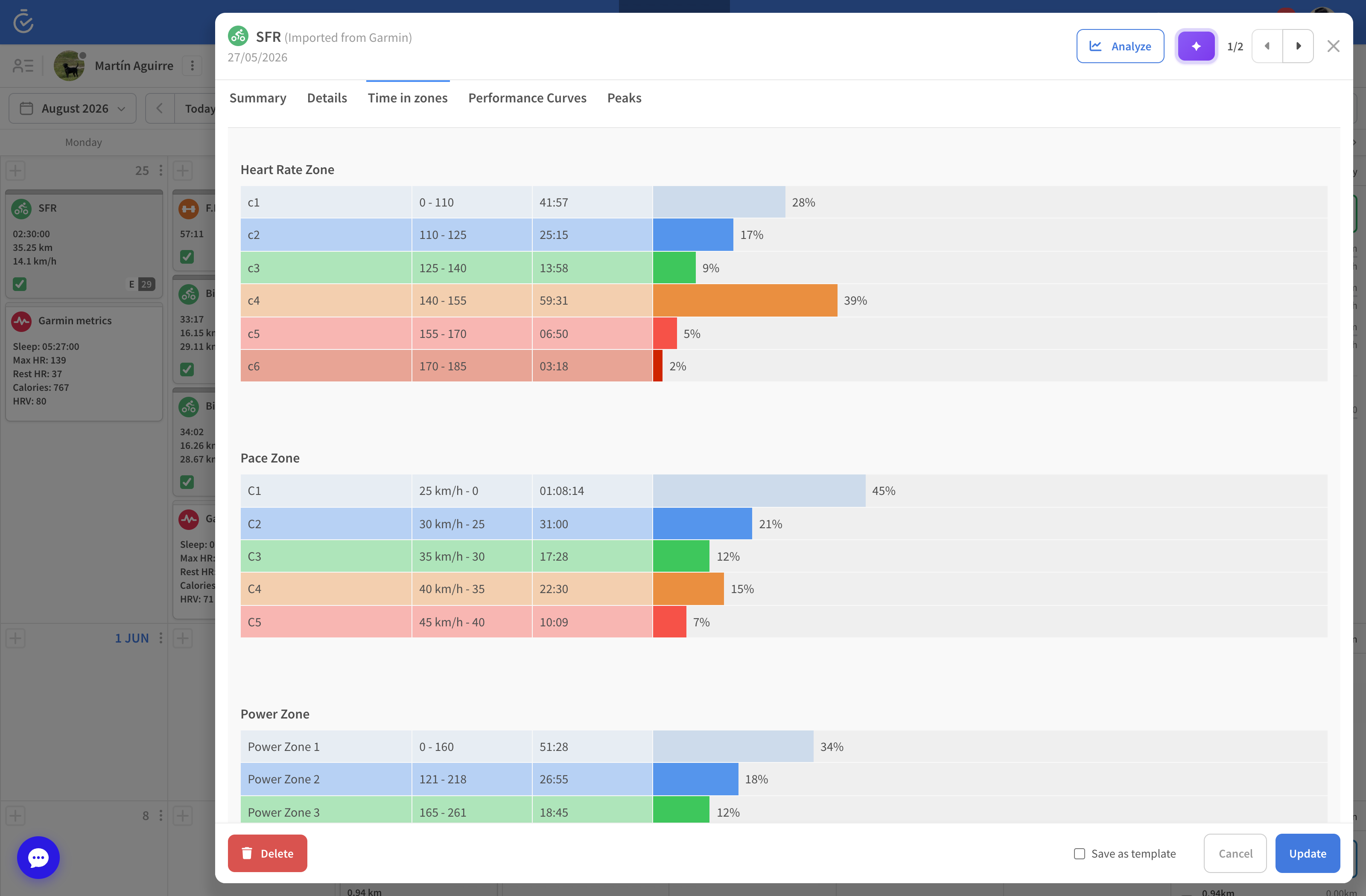
Time in zones: was the session what it was supposed to be?
Open any completed workout and you’ll see how long you spent in each heart-rate, pace or power zone. An easy run that shows 40 minutes of Zone 3 wasn’t easy; an interval session with solid Zone 5 blocks did its job. It’s the fastest way to answer the question every coach asks: did the workout match the plan?
- Zone breakdowns are calculated the moment a workout syncs — from any device or an imported FIT file.
- On your dashboard, the Time in HR Zones chart aggregates whole periods: see your last 90 days’ intensity distribution and check your easy/hard balance at a glance.
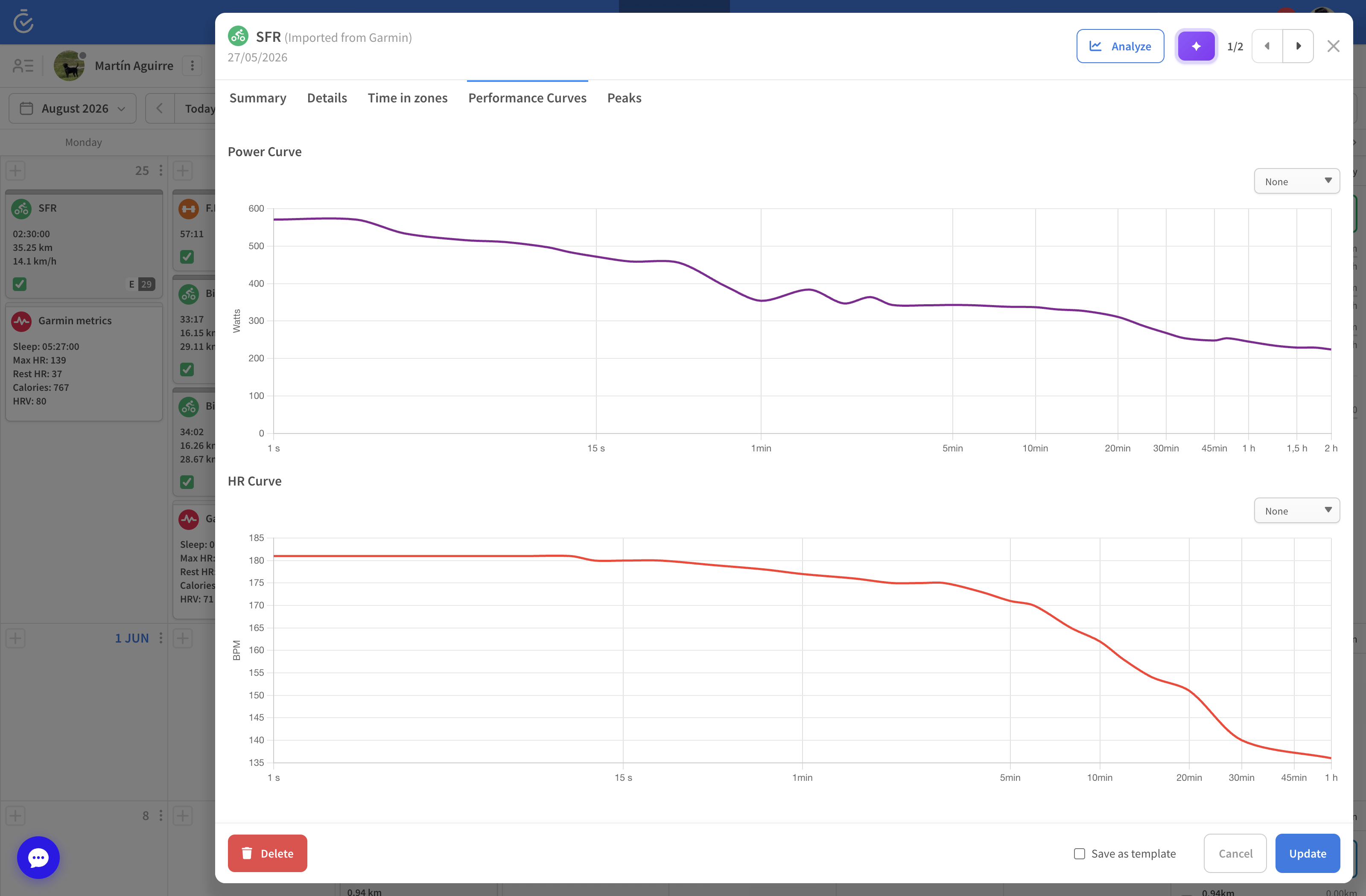
The power curve: your engine, drawn as one line
The power curve plots your best average power for every duration. TrainerPlan builds it automatically from all your rides and keeps a period view (say, the last 3 months) alongside your all-time bests:
- Watch the curve lift as your training block progresses — proof the work is working.
- Open a workout’s Peak Performances to see which efforts in that session set new peaks, with medal badges on the calendar when you break one.
- Runners and swimmers aren’t left out: pace and heart-rate curves are computed the same way.
Zones must be right for this to be right
Time-in-zone analysis is only as accurate as your zones. Check Profile → Zones, and let automatic threshold detection keep them current — TrainerPlan suggests an update whenever your workouts show your threshold has moved.
Availability
Coaches have these charts for all their athletes. For self-coached athletes, time in zones and peak analysis are part of Athlete Premium — one upgrade, and every past workout in your account gets the full treatment too.