Automatic Threshold Detection: Zones That Keep Up with Your Fitness
Your training zones are only as good as the thresholds behind them. Get fitter and your old zones quietly become too easy; lose form after a break and they become too hard. TrainerPlan now watches this for you: every synced workout is analysed, and when your data shows your threshold has changed, TrainerPlan tells you — with a one-click update.
How it works
- Every time a workout syncs in — from Garmin, Wahoo, Suunto, COROS, Polar, Apple Watch or a manually imported FIT file — TrainerPlan computes your power, heart-rate and pace curves.
- When a sustained effort suggests your real threshold is higher (or lower) than the one in your settings, TrainerPlan creates a threshold suggestion.
- You get a notification with the detected value. Open it and choose Accept to update your threshold — your zones recalculate automatically — or Dismiss to keep your current value.
Nothing changes without your say-so. TrainerPlan suggests; you decide.
Why this matters
- Accurate zones, always. Zone targets in your planned workouts stay matched to your current fitness — no more doing “Zone 2” that is really Zone 3.
- Honest training load. Effort and fitness calculations are built on your thresholds. Keeping them current keeps your fitness, fatigue and form chart honest.
- No test protocol required. Threshold tests still work great, but the detection picks up breakthroughs from your normal training — races, hard group rides, that surprisingly fast tempo run.
Prefer it fully automatic?
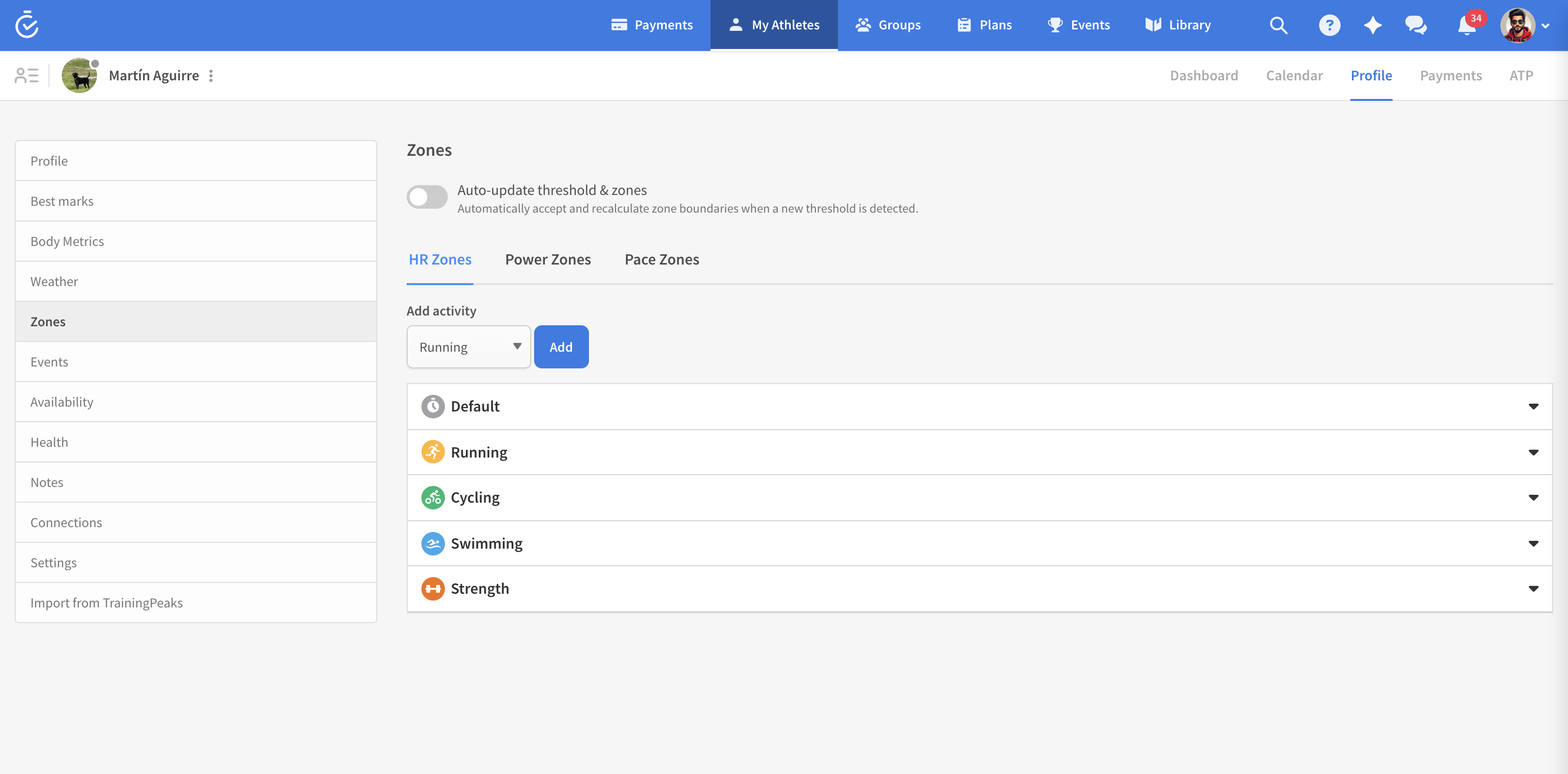
On the athlete’s Zones page there is an Auto-update threshold & zones switch. Turn it on and TrainerPlan accepts detected thresholds for you and recalculates the zone boundaries automatically — no notification to action. Leave it off (the default) and every change waits for your approval.
For coaches
Suggestions for your athletes reach you too, so you stay in control of their zone settings. TrainerPlan also keeps a threshold history, so you can see how an athlete’s threshold has evolved over the season — a progress chart in itself.
Where to check your current thresholds
Your thresholds and zones live in Profile → Zones. If you prefer to set everything manually, that works exactly as before — automatic detection is a safety net, not a requirement. To learn about choosing zone calculation methods and reusable zone templates, see our guide on setting up training zones.