How to use Strength Training Editor
The Strength Training Editor allows you to create complete sessions with blocks, exercises and series, all from the workout itself.
1. Create a strength training
- Go to the calendar
- Create a new training
- Make selection Strength as type of training
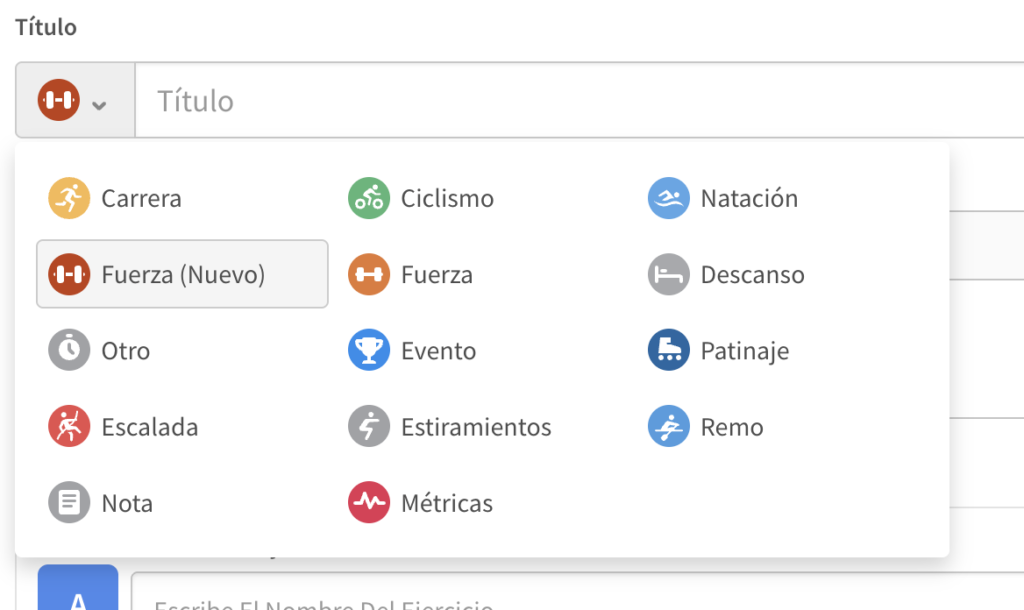
The editor will open automatically.
2. Add blocks
The blocks help you organize the exercises (for example: A, B, C).
- Click Add block
- You can change the name of the block
- Reorder the blocks by dragging and dropping
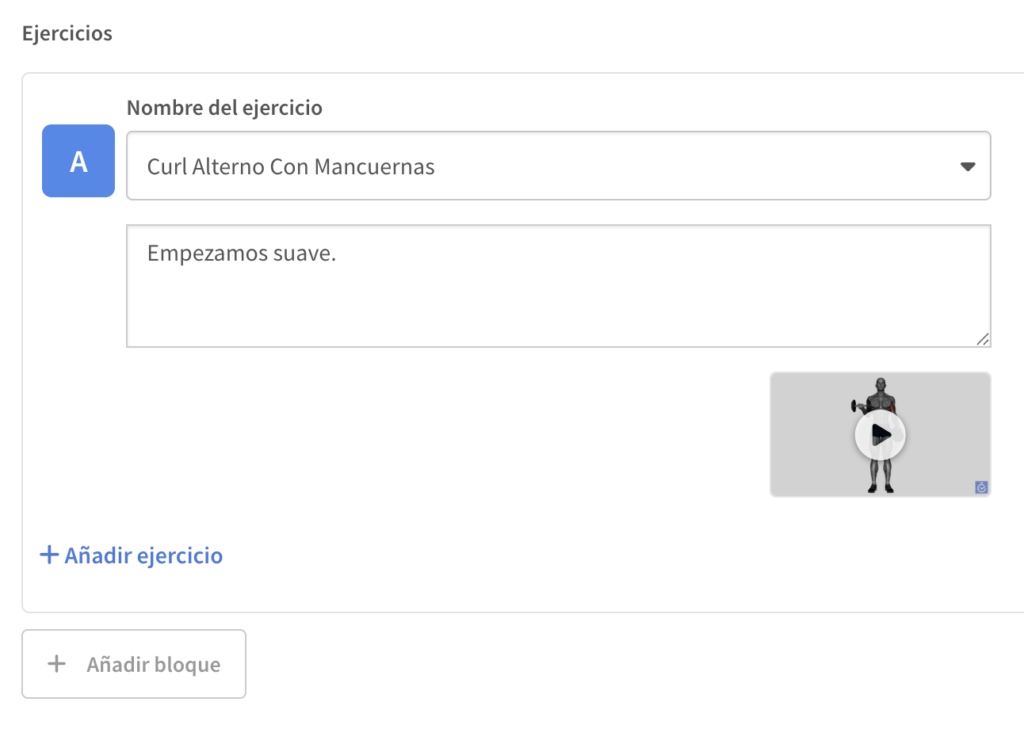
3. Add exercises
Inside each block you can add exercises:
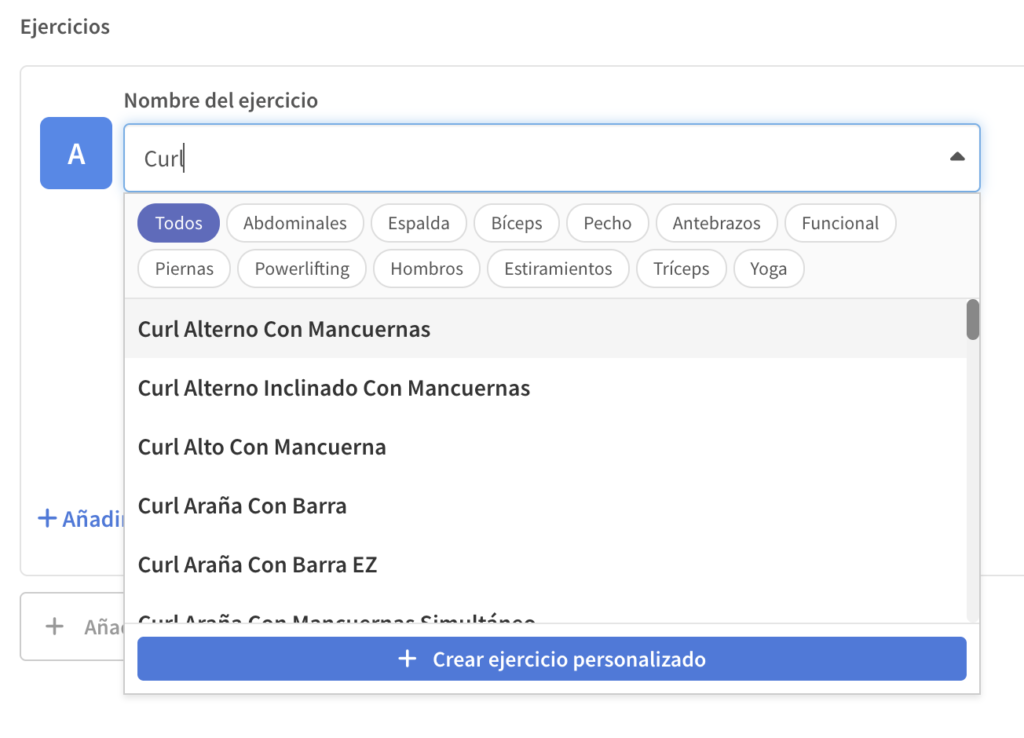
- Use the search engine to choose between more than 1,400 exercises
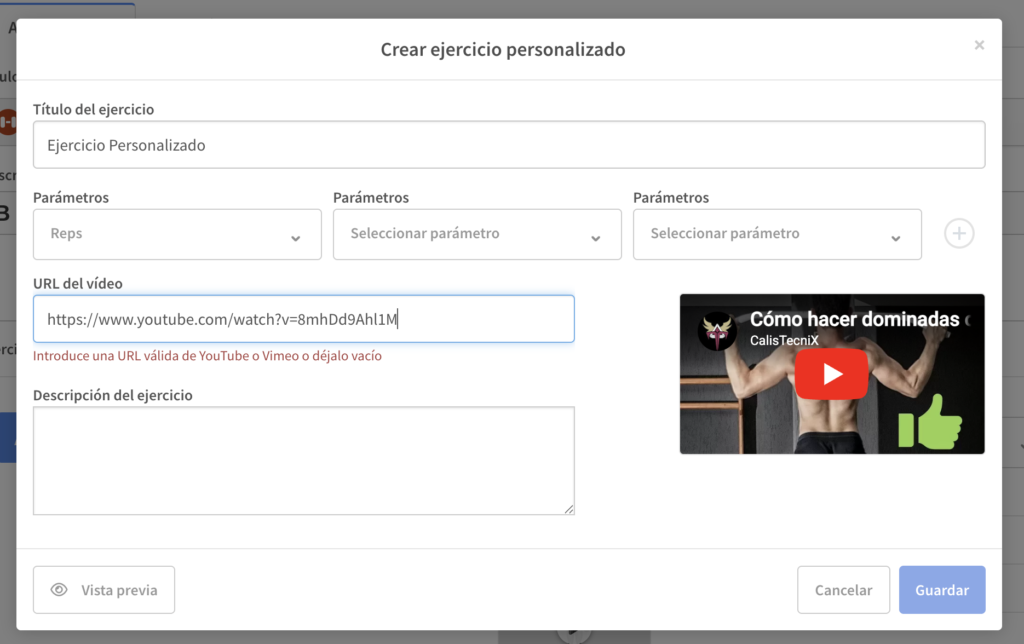
- Or create a custom exercise
- Name
- Description
- Video (YouTube or Vimeo)
- Muscle group
4. Configure series and parameters
For each exercise you can define their series:
- repetitions
- Weight (kg)
- Duration
- Distance
- Height
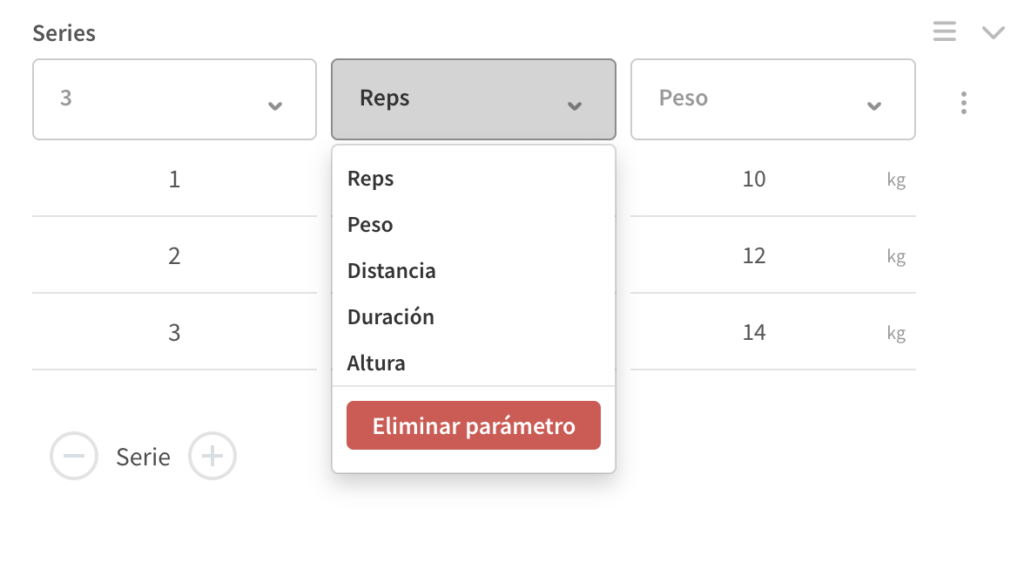
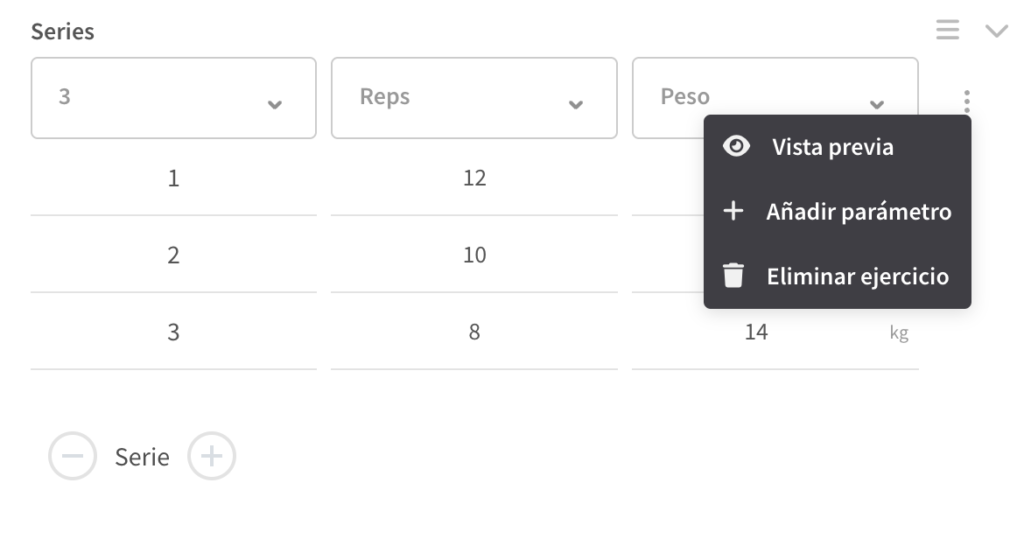
You can add or delete parameters as needed.
5. Add notes and videos
Each exercise can include:
- Notes (Instructions for the athlete)
- Explanatory videos
6. Save the training
Once finished:
- Save the training
- Assign it to one or more athletes
- Wear it like any other workout
7. What does the athlete see?
From the app, the athlete can:
- See the blocks and exercises
- Mark each exercise as completed
- Leave feedback after training
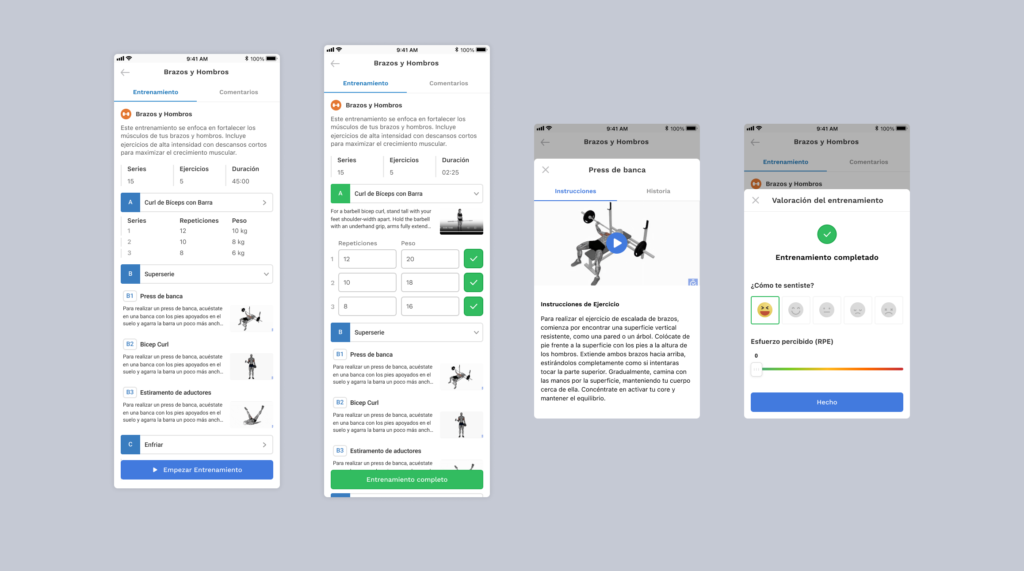
TrainerPlan will automatically register:
- Completed series
- Duration
- Intensity
- sensations
8. Tracking loads and workouts
In addition to creating workouts, you can also track what was actually completed in each session.
From the dashboard, you can:
- Monitor the load of each exercise
- View completed workouts
- Review the sets performed
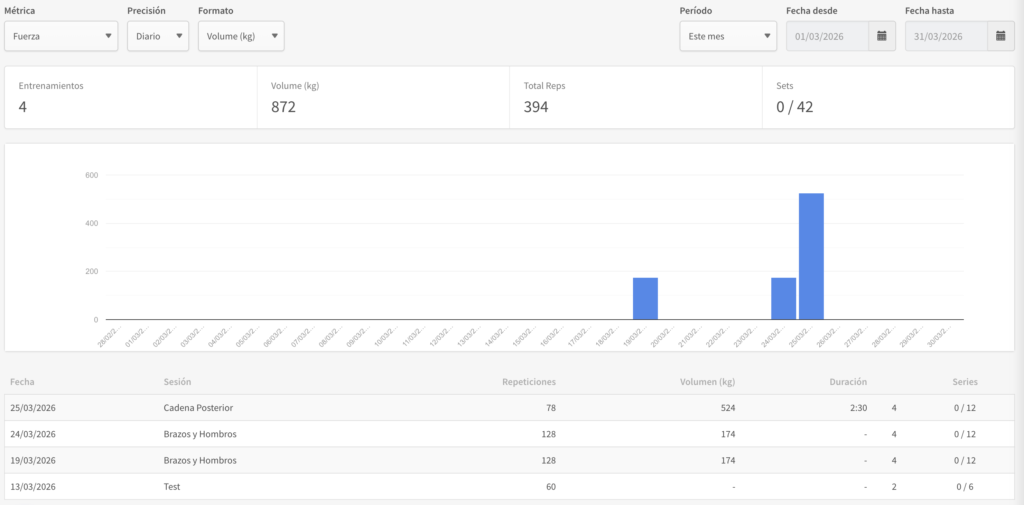
This gives you a clear view of the work done and helps you adjust training with greater accuracy.