How to follow performance peaks in TrainerPlan
TrainerPlan allows you to follow the performance peaks of your athletes in power, rhythm and heart rate.
This helps you quickly identify when an athlete gets his best efforts and how his performance evolves over time.
What are performance peaks?
Performance peaks represent the best effort an athlete has achieved in a specific duration or metric.
For example:
- Best power in 5 minutes
- Best rhythm in 20 minutes
- Greater effort in heart rate
Every time an athlete achieves a new better result, it is recorded as a peak.
Where to see performance spikes
You can see the peaks directly within the athlete’s workflow:
- In training where a peak has been achieved
- within the training summary
- In the athlete’s performance or spikes section
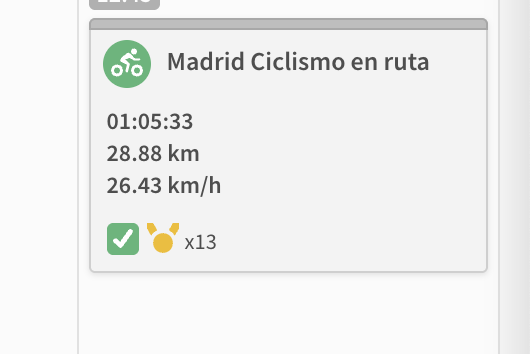
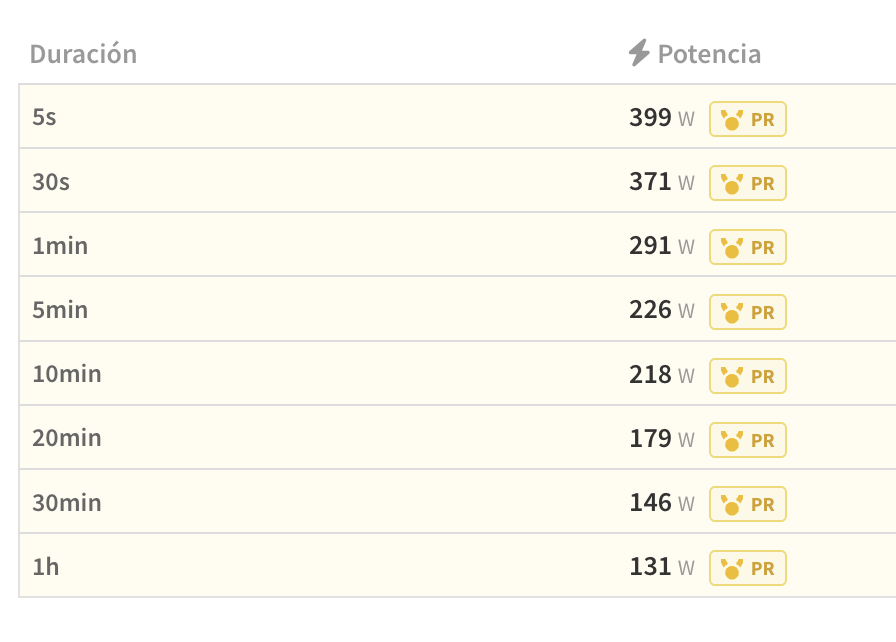
When a peak is detected, Featured is shown so you can quickly identify it.
how it works
TrainerPlan automatically detects performance peaks from completed workouts.
When a workout includes a better effort:
- The peak is highlighted in the training view
- You can open it for more details
- You can compare it with previous efforts
You can also:
- Filter by metric (power, rhythm, or heart rate)
- Select different durations
- Compare current with previous efforts
Compare performance over time
One of the most useful features is comparison.
You can:
- Compare current period stresses
- Compare with the best historical results
- Analyze evolution over weeks or months
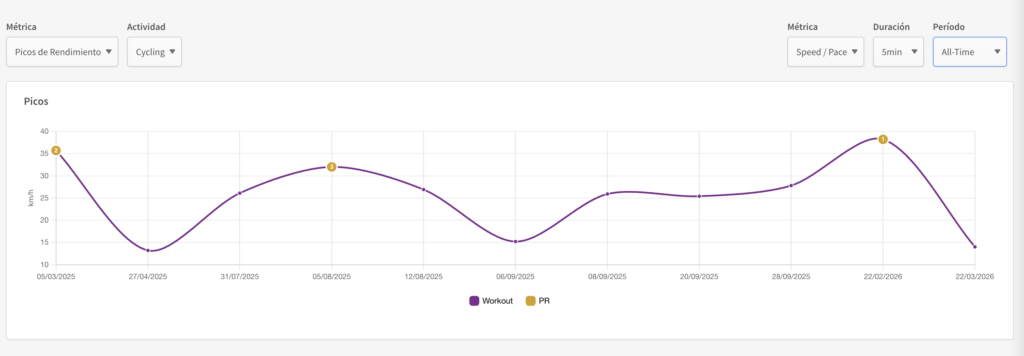
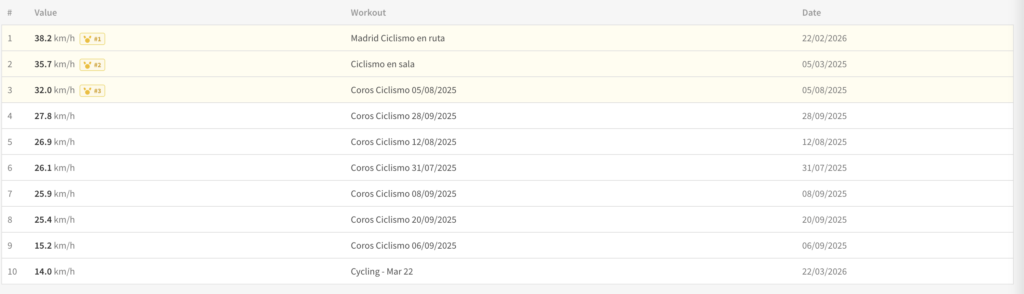
This allows you to clearly see if the athlete is improving.
Why performance peaks are important
Performance spikes give you a simple and straightforward way to assess whether the training is working.
As a coach, you can:
- Detect improvements in key durations
- Identify stagnation
- Validate the effectiveness of the training plan
- Adjust the training load more accurately
Practical examples
- If an athlete improves his power in 20 minutes → probably his FTP is increasing
- If you improve short efforts → Improve explosive power
- If there are no improvements → It may be necessary to adjust the training
TrainerPlan vs Other Tools
TrainerPlan makes peak tracking simpler and integrated into your day to day.
Instead of relying on multiple external graphics or tools, you can:
- See the spikes directly inside each workout
- Compare results in seconds
- Manage everything from one site
Summary
Performance spikes allow you to:
- Automatically record the best efforts
- Understand the evolution of the athlete
- Make better decisions as a coach
All in a simple way and without adding complexity to your workflow.