Add Assistant Coaches to Your TrainerPlan Account
- By Bruno F -
- June 22, 2021
If you work with other coaches and want to keep all their clients in one place, you’re in luck — you can now add as many coaches as you like to your TrainerPlan account, at no extra cost!
How does it work?
When you add another coach or team member to your account, you’ll have created a team account. This means all plans and Library items (Exercises, Events and Files) become available for any coach on the team to view and use with their athletes.
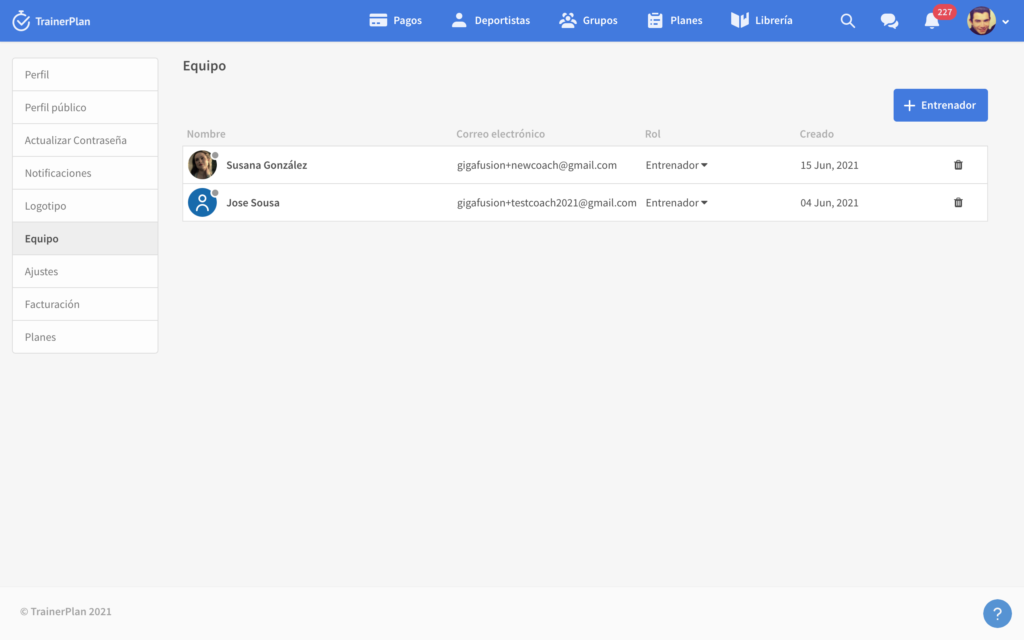
To add a new coach, click the “+ Coach” button and fill in their details. An invitation will be sent to the email address of the coach you’re inviting so they can create their password, access their account and start training their athletes.

Billing
The account administrator is responsible for paying the TrainerPlan subscription. The subscription is based on the total number of clients across all coaches. For example, if you have 2 coaches in total (including the owner administrator), each with 10 athletes, you’ll need a subscription that allows 20 athletes.
Permissions
- Administrator: Can access every module and section of TrainerPlan
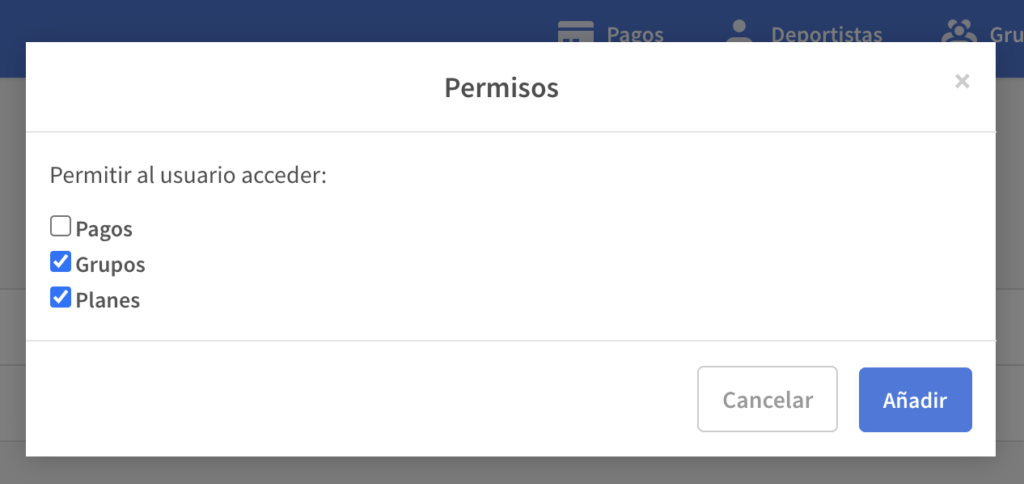
- Coach: Only has access to the athletes they invite or that the administrator transfers to them. Has no access to the payments module
- Grant access to all modules or block access to the ones you choose (e.g. Payments)
Plans and Library
Coaches can choose to make the plans they create visible to all other coaches or only to themselves, although administrators will always have access to every plan.
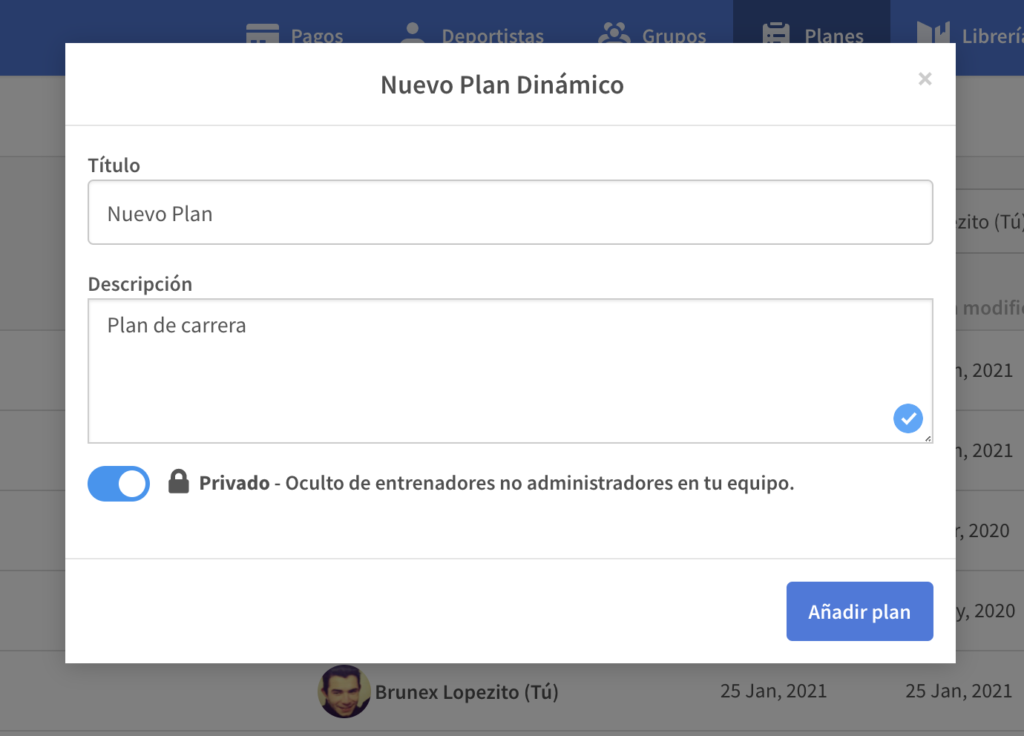
Library items are shared with everyone.
Transferring athletes between accounts
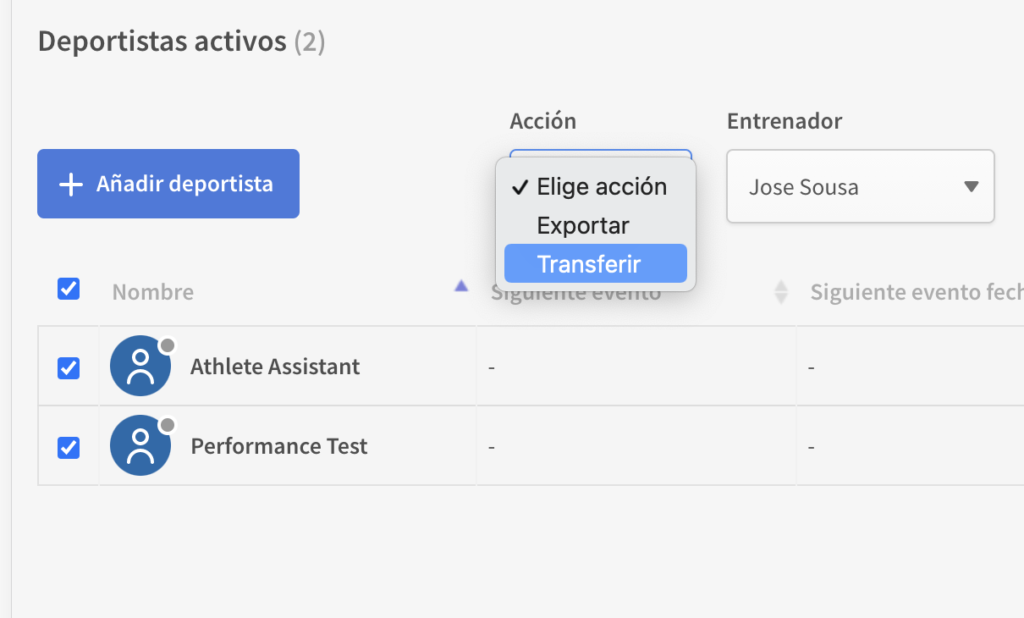
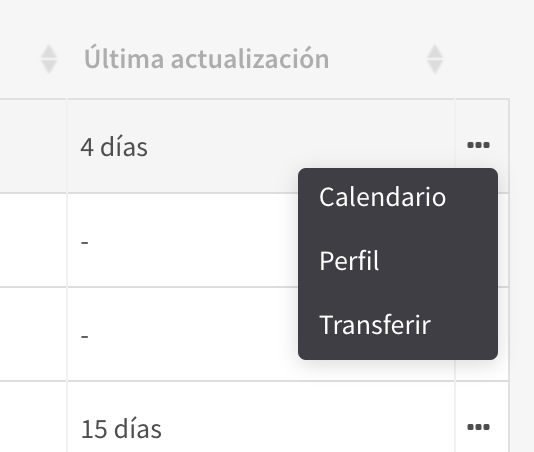
You can transfer athletes from one account to another within the team. For example, after inviting your assistant coaches, you may want to move some athletes over to their accounts. It’s very simple: in the athlete list, just pick the athletes you want to transfer and select the destination coach.
What happens if I delete an invited coach’s account?
If an invited coach’s account is deleted, they will lose access to the platform and all of their athletes will be moved to the owner administrator’s account.