How to Add TrainerPlan to Your iPhone or Android Home Screen
- By Bruno F -
- September 20, 2018
Note: Athletes can access TrainerPlan through a native mobile app for iOS and Android.
If you are a coach, you can add TrainerPlan to your iPhone’s home screen to make it easier to access from your phone. It will show up on your phone just like any other app.
If you have an iPhone
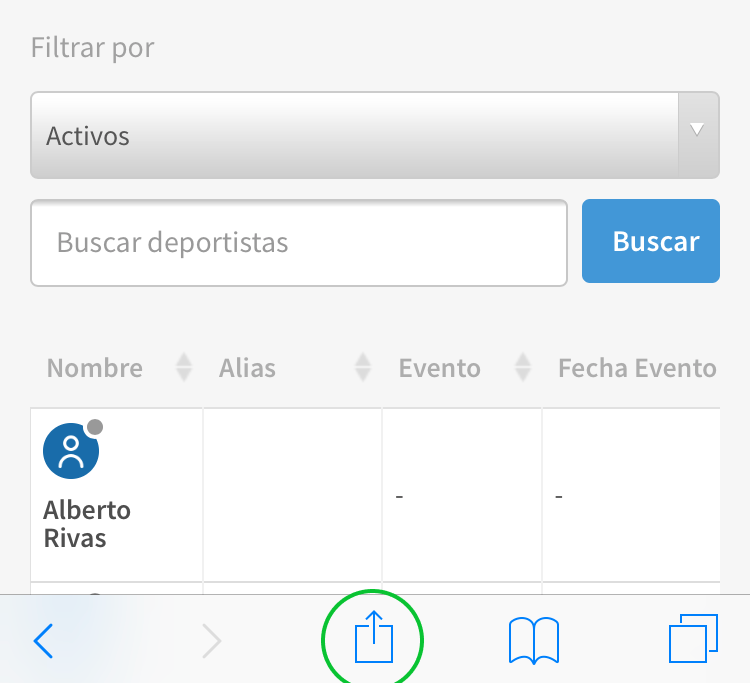
Log in to your account and find the share button at the bottom:
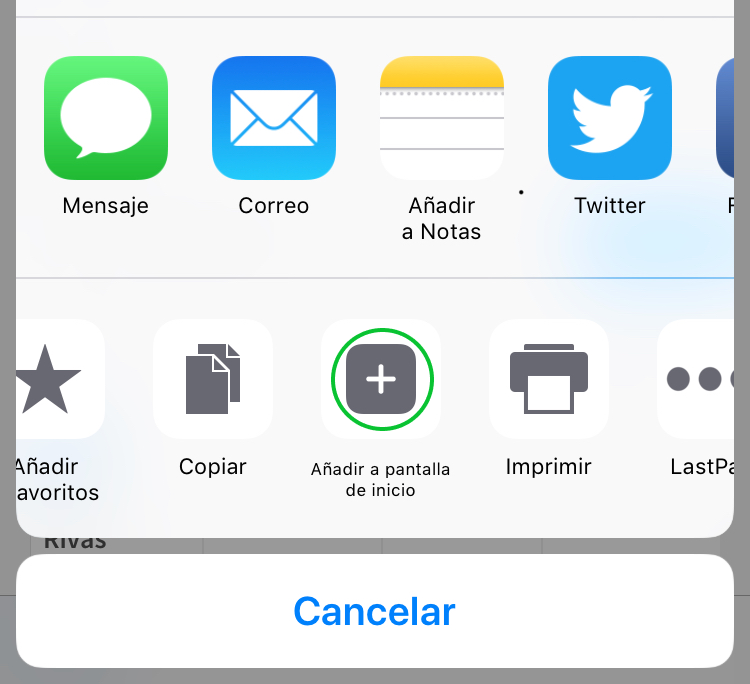
Then tap the “Add to Home Screen” icon:
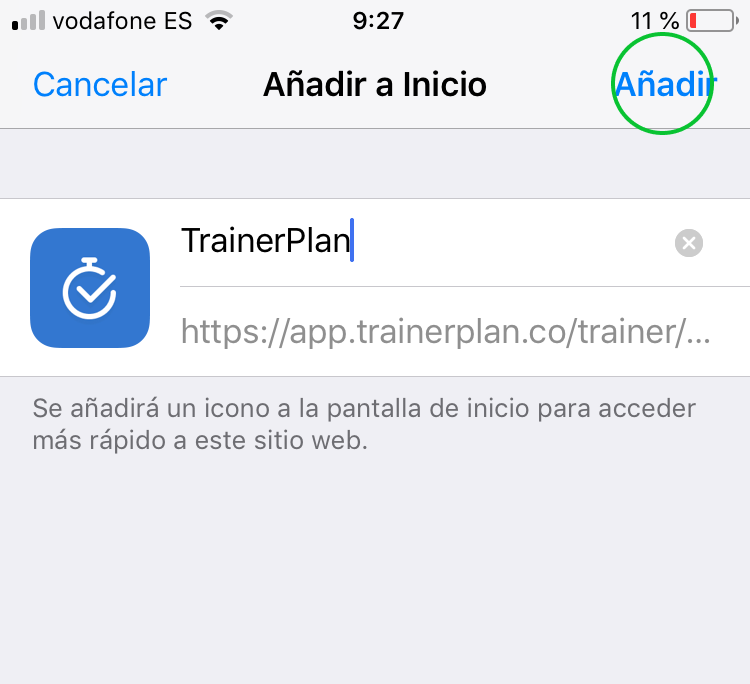
Tap Add:
If you have an Android
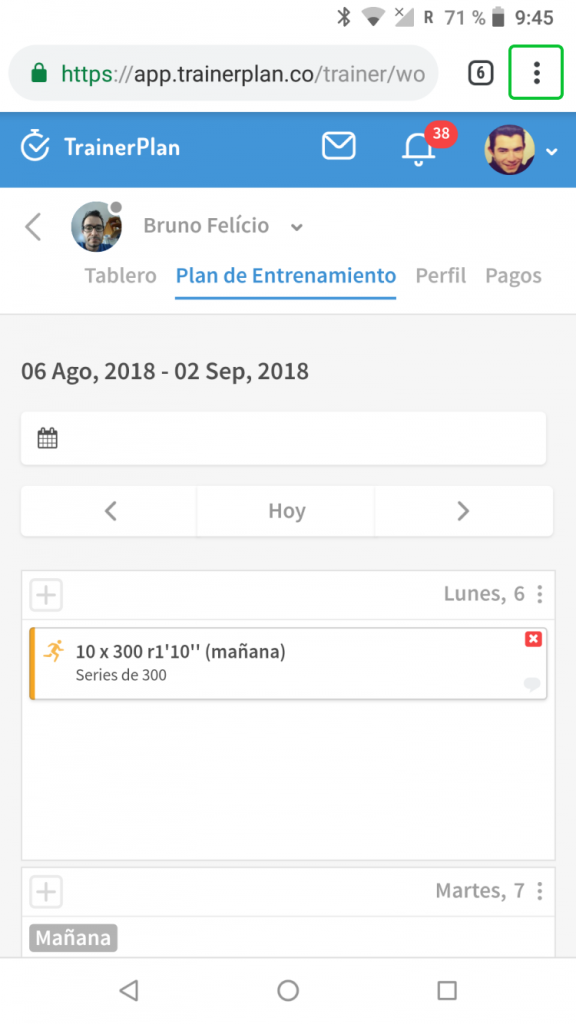
Tap the icon in the top right corner:
Tap “Add to Home screen”:

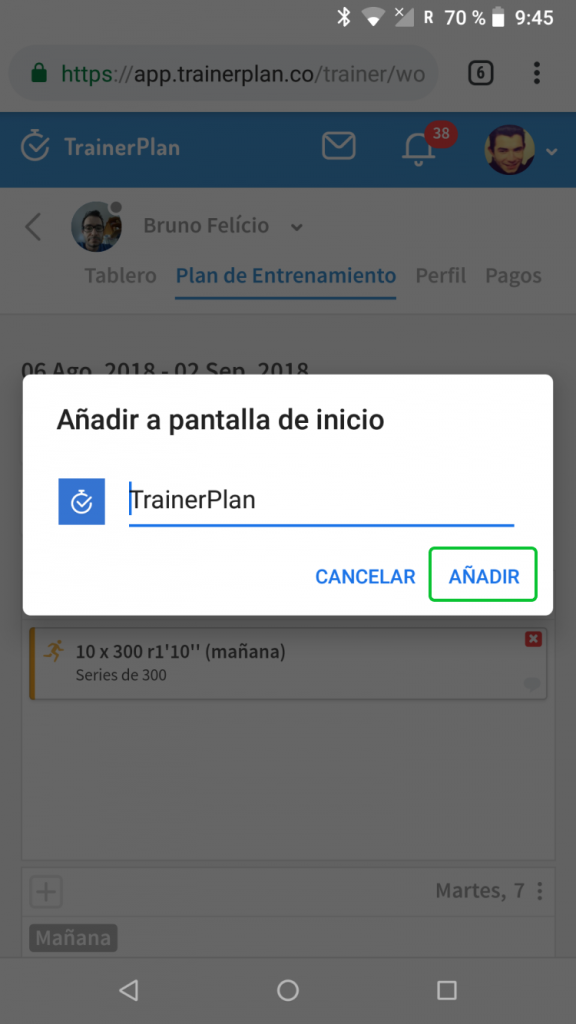
Tap Add:
The TrainerPlan app will appear on your phone’s screen just like any other app installed on your device.
Log in to your account or sign up for free.